
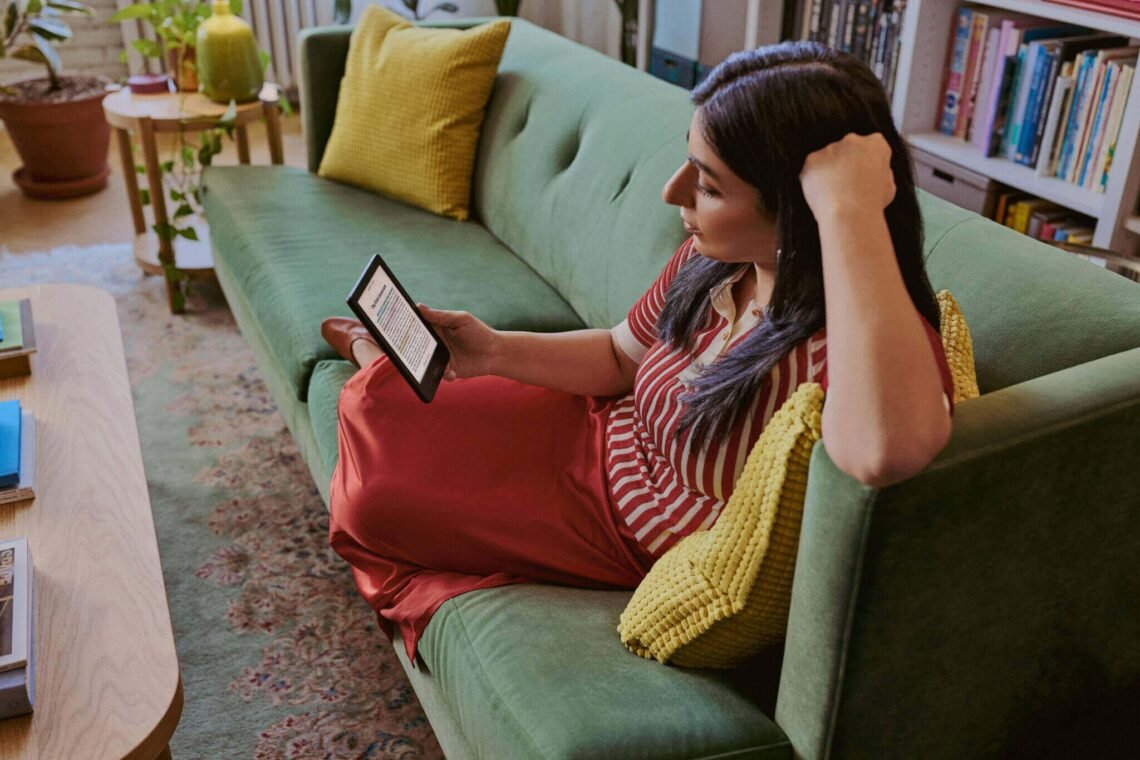
You want a tablet for curling up with articles, ebooks and a bit of web browsing — not a £700 iPad Pro. The good news: for reading and browsing, you barely need any power at all, which means the cheap end of the tablet market is genuinely excellent. Here’s what the best cheap tablet for reading and browsing looks like in 2026, and which ones to actually buy.
What matters for reading and browsing (and what doesn’t)
Reading is the least demanding thing a tablet does. You don’t need a fast processor, lots of RAM or a fancy GPU. What you do need:
- A decent screen. This is everything. Look for at least 1920×1200 resolution on a 10-inch tablet — text should be crisp, not fuzzy. IPS panels are fine; you don’t need OLED for reading.
- Comfortable size and weight. 8–10 inches is the sweet spot. Bigger is better for magazines and PDFs; smaller is better for holding one-handed in bed. Under 500g is comfortable for long sessions.
- Good battery life. 8+ hours means charging every few days, not daily.
- Decent WiFi. Obvious, but check reviews — some ultra-cheap tablets have flaky WiFi that ruins browsing.
What doesn’t matter: processor speed (any modern chip handles reading apps), cameras (tablet cameras are universally mediocre — use your phone), and cellular connectivity (WiFi is fine for most; add it only if you’ll read on trains without phone tethering).
The best cheap tablet for reading and browsing: my picks
Amazon Fire HD 10 (£150, often £100 on sale) — the default choice.
For pure reading and browsing value, the Fire HD 10 is almost impossible to beat. A 10.1-inch 1080p screen, perfectly fine performance for Kindle, browsers and streaming, and Amazon regularly drops it to £99–£110 on Prime Day and Black Friday. The catch: it runs Amazon’s Fire OS, not proper Android — no Google Play Store out of the box (though it can be sideloaded), and the interface pushes Amazon services hard. For Kindle reading, BBC iPlayer, Netflix and web browsing, it’s superb. For anything beyond that, it’s limiting. If your reading life is Kindle + browser, buy this and don’t look back.
Amazon Fire HD 8 (£100, often £60–£70 on sale) — the bedside tablet.
Smaller, lighter, cheaper — the HD 8 is the perfect one-handed reading tablet for bed and travel. The screen is lower resolution (1280×800), which is noticeable for PDFs but fine for novels. At sale prices under £70, it’s almost disposable — I know people who keep one permanently on the nightstand. Same Fire OS caveats as its bigger sibling.
Lenovo Tab M10 / M11 (£130–£180) — the proper Android option.
If you want the real Google Play Store and a cleaner Android experience, Lenovo’s budget tabs are the pick. The screen and build quality punch above the price, and you get proper Android with all your usual apps. Performance is modest but perfectly adequate for reading and browsing. This is the one I’d buy for a less tech-confident relative who needs “a normal tablet”.
Refurbished iPad (9th gen, ~£200) — the stretch option.
Slightly over “cheap”, but worth mentioning: a refurbished 10.2-inch iPad is the best reading tablet ever made at this price point. Superb screen, every app ever made, years of updates, and Apple’s build quality. If your budget can stretch to £200, this beats every new budget tablet on the market. Check Apple’s refurbished store or Back Market.
Kindle vs tablet: which for reading?
If you read mostly novels, consider whether you want a tablet at all. A dedicated e-reader (Kindle Paperwhite, ~£150) has an e-ink screen that’s easier on the eyes, readable in bright sunlight, and lasts weeks per charge. But it’s black-and-white, slow for browsing, and useless for anything but reading. Our full comparison of Kindle versus tablet for reading books breaks this down. Short version: novels-only reader who reads a lot? Kindle. Novels plus articles, magazines, colour content and web browsing? Cheap tablet.
Setting up for comfortable reading
Whichever tablet you buy, set it up right:
- Use a reading app you like. Kindle app, Google Play Books, Libby (free library books with your UK library card — genuinely brilliant and underused), or your browser for articles.
- Turn on blue-light filtering in the evening (Night Shift / Night Light / Blue Shade). It genuinely helps sleep — see our guide on sleeping better for why screens before bed are the enemy.
- Increase text size rather than squinting. Every reading app lets you do this; there’s no prize for the smallest font.
- Download for offline. Most reading apps let you download books and articles — perfect for flights and patchy train WiFi.
- Get a case/stand. A £12 case with a stand transforms a tablet from a hand-cramping slab into a comfortable reading device. For kids, set up parental controls before handing it over.
What to avoid
Skip no-name tablets from obscure brands promising 10-inch 5G tablets for £60 — the screens are terrible, the batteries lie about capacity, and they stop getting updates immediately. Also skip 7-inch tablets in 2026; your phone is probably nearly that big. And don’t pay extra for 128GB storage on a reading tablet — books and articles are tiny; 32GB is plenty unless you’re downloading lots of video.
The bottom line
Where to find cheap and free reading material
A tablet is only as good as what’s on it. Beyond the Kindle store, UK readers are spoilt for free options: Libby/OverDrive connects to your local library card for free ebook and audiobook loans — most UK library authorities participate, and the selection is far better than people expect. Project Gutenberg (gutenberg.org) offers 70,000+ free classics. Amazon’s free Kindle books section hides thousands of legitimate freebies. And for news and long reads, a free Pocket or Instapaper account lets you save articles from your phone or computer and read them distraction-free on the tablet later — perfect for turning commute scrolling into proper reading time. Set up two or three of these on day one and your cheap tablet becomes an endless library.
Turn any tablet into a free library with Libby — free ebooks and audiobooks with your UK library card.
The best cheap tablet for reading and browsing is the Amazon Fire HD 10 — especially on sale under £110 — if you’re happy in Amazon’s world. Want proper Android? Lenovo Tab M10/M11. Can stretch to £200? A refurbished iPad beats everything. Match the device to your reading habits, grab a stand case, install Libby for free library books, and you’ve got a reading setup that rivals devices costing five times as much.



One comment on “Best Cheap Tablet for Reading and Browsing (2026)”