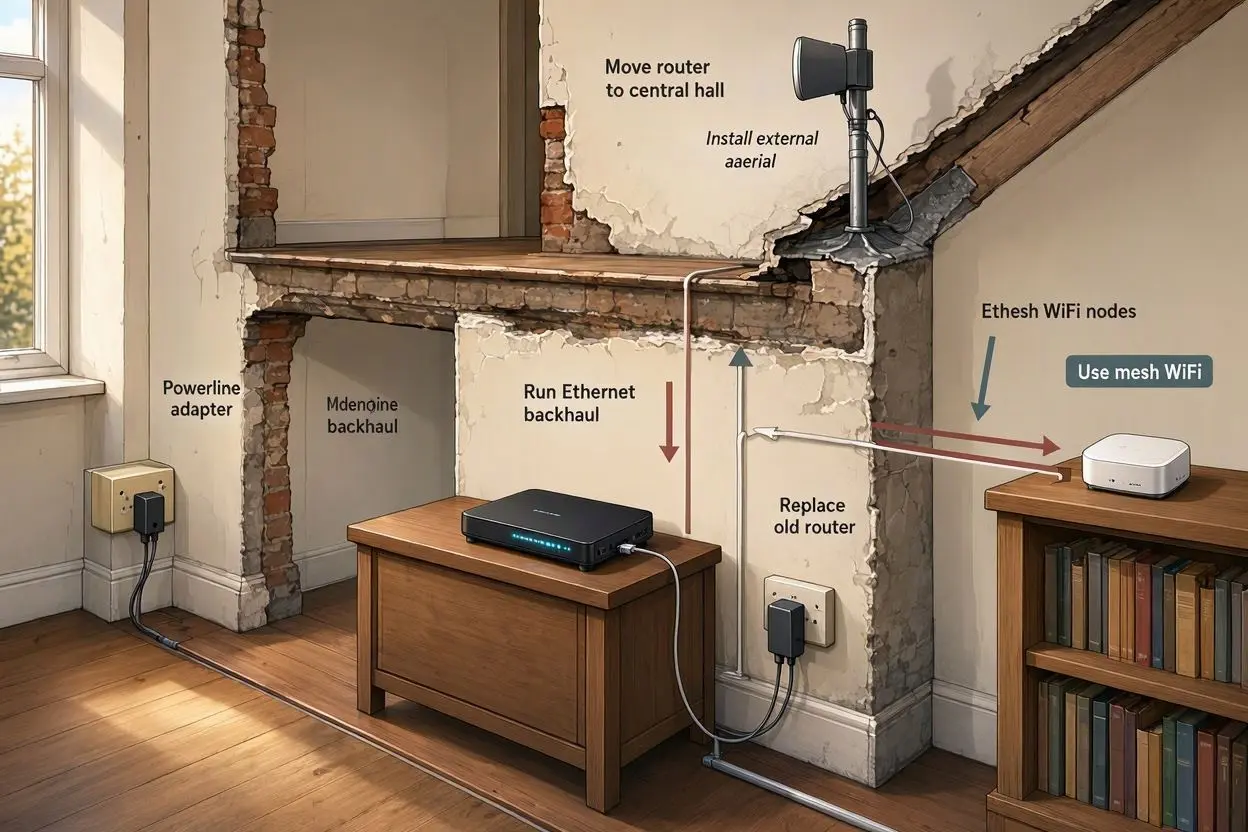
If your WiFi works perfectly in one room but becomes slow or unreliable upstairs, in the kitchen, or at the back of the house, the problem may not be your internet package. Older UK homes can be particularly difficult for WiFi because of thick brick walls, solid floors, chimneys, extensions and unusual room layouts.
The good news is that you usually do not need to replace your entire internet connection to fix the problem.
If you’re wondering how to improve WiFi signal in an old UK house, the best approach is to identify what is blocking the signal and then improve your home’s WiFi coverage rather than simply buying a faster broadband package.
Here are the most effective solutions, starting with the simplest.
Why Is WiFi So Weak in Some Old UK Houses?
Older houses were not designed with wireless networks in mind. Modern WiFi signals need to travel through walls, floors and ceilings that can contain dense building materials.
Common problems include:
- Thick brick or stone walls
- Solid internal walls
- Concrete floors
- Multiple storeys
- Chimneys and fireplaces
- Large extensions
- Metal pipes and other building materials
- Routers placed inside cupboards or behind furniture
- Long or unusual floor plans
A router may provide excellent coverage in the room where it is installed but struggle to reach another part of the property.
This is why moving the router can sometimes make a surprisingly large difference.
1. Move Your Router to a Better Position
Before buying any new equipment, check where your router is located.
A router hidden inside a cupboard, placed on the floor or positioned behind a television can have a much harder time distributing WiFi around the house.
Ideally, place the router:
- As centrally as possible
- On a shelf or table rather than the floor
- In an open area
- Away from large metal objects
- Away from thick walls where possible
- Away from appliances that may cause interference
If your broadband connection enters the house at one end of the property, moving the router may not always be practical. In that case, a mesh WiFi system can be a better solution.
2. Keep the Router Away From Obstacles
WiFi signals weaken as they travel through obstacles.
A single lightweight partition may not cause a major problem, but several thick walls between your router and a device can significantly reduce signal strength.
Try to avoid placing your router:
- Inside a TV cabinet
- Behind a sofa
- Inside a cupboard
- Next to large appliances
- Behind thick furniture
- Close to large metal surfaces
Even moving the router by a few feet can sometimes improve coverage in a difficult room.
3. Consider a Mesh WiFi System
For many larger or older properties, mesh WiFi is one of the most practical solutions.
Instead of relying on one router to cover the entire house, a mesh system uses multiple WiFi units placed around the property.
One unit connects to your broadband connection, while additional units extend coverage to other areas.
This can be especially useful if you have:
- A two- or three-storey house
- Thick internal walls
- A long property
- A converted loft
- A rear extension
- WiFi dead zones
- Poor signal upstairs
The important thing is to position mesh units correctly.
Don’t put a second unit in a room where the WiFi signal is already extremely weak. It needs to receive a reasonably good signal from the main unit so that it can pass that connection onwards.
4. Use Ethernet Backhaul Where Possible
If you want the best possible performance from a mesh system, consider connecting mesh units with Ethernet cables.
This is often called wired or Ethernet backhaul.
Instead of the secondary mesh unit communicating wirelessly with the main router, it receives the network connection through an Ethernet cable.
This can be particularly useful in old houses where thick walls make wireless communication between mesh units difficult.
For example, you could have:
Router → Ethernet cable → Mesh unit upstairs
This can provide a more reliable connection than trying to send the WiFi signal through several floors or thick walls.
If your home already has Ethernet cabling, make use of it.
5. Try a WiFi Extender for a Small Problem Area
A WiFi extender can be useful if only one part of your house has poor coverage.
For example, your router might provide good WiFi throughout most of the property but struggle to reach a bedroom or home office.
In that situation, an extender may be enough.
However, placement is important.
Put the extender somewhere between the router and the area with poor coverage. If you place it directly inside the dead zone, it may receive a weak signal and provide disappointing results.
For larger homes with several problem areas, a mesh WiFi system is generally a more flexible option.
6. Use the Right WiFi Band
Modern routers normally provide more than one WiFi frequency band.
The two most common are 2.4GHz and 5GHz.
2.4GHz generally travels further and can handle obstacles better, although it is usually slower and more susceptible to interference.
5GHz can offer faster speeds, but its range is usually shorter and it does not travel through walls as effectively.
Some newer routers also support 6GHz WiFi, but its shorter range makes positioning even more important in a house with thick walls.
If a device is far away from the router, 2.4GHz may provide a more reliable connection.
If the device is close to the router, 5GHz can often provide higher speeds.
Modern routers may automatically select the appropriate band, so you do not necessarily need to change this manually.
7. Check for WiFi Interference
Your home’s construction isn’t the only thing that can affect WiFi.
Other wireless networks and household devices can also create interference.
In a typical UK neighbourhood, your router may be surrounded by WiFi networks from nearby homes.
If several networks are using the same wireless channels, performance can suffer.
You can use a WiFi analyser app to check the wireless environment and identify crowded channels.
Some modern routers automatically select a suitable channel, so check your router’s settings before making manual changes.
8. Upgrade an Old Router
If your router is several years old, it may be worth checking whether your internet provider offers a newer model.
Newer routers can provide:
- Better wireless coverage
- Improved WiFi management
- Better support for multiple devices
- Newer WiFi standards
- Improved handling of network congestion
However, buying a new router is not always the answer.
If the main problem is a thick wall between your router and bedroom, a more powerful router may still struggle. In that situation, adding a mesh system or using Ethernet may produce a much bigger improvement.
9. Put a Mesh Unit Near the Problem Area
Placement matters just as much as the equipment itself.
Imagine your router is downstairs at the front of the house and your home office is upstairs at the back.
Putting a mesh unit directly inside the office may not work well if the signal reaching the office is already extremely weak.
Instead, place the additional mesh unit somewhere between the router and the office where it can still receive a strong connection.
Think of mesh WiFi as creating a chain of coverage rather than trying to make one device reach every room.
10. Consider Your House’s Construction
When trying to improve WiFi in an old house, consider the materials between the router and the device.
A signal travelling through a lightweight internal partition may remain usable.
A signal travelling through several thick brick walls, a chimney breast and a solid floor is a completely different situation.
Stone buildings can be particularly challenging because dense masonry can significantly reduce wireless signal strength.
If your property has very thick walls, do not assume that buying the most expensive router will automatically solve the problem.
A combination of good router placement, mesh WiFi and wired connections may be much more effective.
11. Use Ethernet for Important Devices
Not every device needs to use WiFi.
If you have a desktop computer, smart TV, games console or work computer in a fixed location, connecting it directly with Ethernet can provide a more stable connection.
This also reduces the number of devices competing for wireless bandwidth.
For example, if your home office has an Ethernet connection, your work computer can use the wired connection while phones, tablets and other portable devices continue using WiFi.
For a difficult old property, a mixture of Ethernet and WiFi can often provide the best overall setup.
12. Check Your Broadband Speed Before Blaming WiFi
There is an important difference between a slow broadband connection and poor WiFi coverage.
If your internet connection is slow even when you are standing next to the router, improving WiFi coverage may not solve the problem.
Run a speed test close to your router first.
Then test the same connection in the room where you experience problems.
For example:
Next to router: 300 Mbps
Bedroom: 25 Mbps
This suggests that the wireless connection or house layout may be responsible for the difference.
But if you get only 30 Mbps next to the router, the issue could be your broadband connection, router, line or service package.
13. Restart and Update Your Router
It sounds simple, but restarting your router can occasionally solve temporary network problems.
You should also check whether your router has a firmware update available.
Many modern ISP-provided routers update automatically, but it is still worth checking the manufacturer’s or broadband provider’s instructions.
If your router has been running for a long time or appears to be behaving unusually, a restart can be a useful first troubleshooting step.
14. Don’t Put Your Router at the Edge of the House
One of the most common mistakes is putting the router wherever the broadband cable happens to enter the property.
If that location is at the front corner of a long house, most of the wireless signal may be concentrated on one side of the building.
Whenever possible, place the router closer to the centre of the area you want to cover.
If moving the router is impossible because of the broadband connection, use a mesh system or Ethernet to extend coverage.
15. What Is the Best Solution for an Old UK House?
There is no single solution that works for every property.
For a small house with one weak room, simply moving the router may solve the problem.
For a larger two-storey property, a mesh WiFi system may be more suitable.
For a house with extremely thick walls, Ethernet-connected mesh units can be a better option.
A simple guide is:
| Problem | Solution to Try |
|---|---|
| Router hidden in a cupboard | Move the router |
| One room has weak WiFi | WiFi extender or mesh unit |
| Large two-storey house | Mesh WiFi |
| Very thick walls | Mesh WiFi with careful placement |
| Multiple floors | Mesh system or Ethernet |
| Fixed office computer | Ethernet |
| Slow internet everywhere | Check broadband connection |
| Weak signal only far from router | Improve WiFi coverage |
| Old router | Consider a router upgrade |
How to Improve WiFi Signal in an Old UK House: The Best Approach
If you’re dealing with weak WiFi in an older property, don’t immediately spend money on expensive equipment.
Start with the basics.
First, move your router into an open and central position. Test the connection in different rooms. Check whether the problem is broadband speed or wireless coverage.
If thick walls or multiple floors are causing the problem, consider a mesh WiFi system.
If you have Ethernet available, use it for fixed devices and, where possible, to connect mesh units.
For a small dead zone, a WiFi extender may be sufficient.
The best setup depends on your property’s size, construction, number of floors and the location of your broadband connection.
Final Thoughts
Learning how to improve WiFi signal in an old UK house is mostly about understanding how the signal travels through your property.
Thick brick walls, stone walls, solid floors and unusual layouts can make a single router struggle, even when your broadband connection itself is fast.
Start by improving router placement and checking your actual speeds. If that isn’t enough, a well-positioned mesh WiFi system can provide much better coverage. For particularly difficult properties, combining mesh WiFi with Ethernet connections can give you a more reliable home network.
You don’t necessarily need the most expensive router or the fastest broadband package. In many cases, better placement and better coverage are more important than simply increasing internet speed.
Frequently Asked Questions
How can I improve WiFi signal through thick walls?
Start by moving your router into a more open and central position. If thick walls continue to block the signal, consider a mesh WiFi system or Ethernet-connected access point. A 2.4GHz connection can also provide better range than 5GHz in some situations.
Is mesh WiFi better for old UK houses?
Mesh WiFi can be a good choice for old UK houses, particularly properties with thick walls, multiple floors or unusual layouts. It allows you to place additional WiFi units closer to areas where coverage is poor.
Will a WiFi extender work through brick walls?
A WiFi extender can work through brick walls, but its performance depends on the thickness and number of walls between the extender and router. It should be placed where it can still receive a reasonably strong signal from the main router.
Should I use 2.4GHz or 5GHz through thick walls?
2.4GHz generally has better range and can travel through obstacles more effectively than 5GHz. However, 5GHz can provide faster speeds at shorter distances. Many modern routers automatically manage both bands.
Where should I put my WiFi router in an old house?
Place the router in an open, elevated and relatively central location. Avoid cupboards, floors, large appliances and areas surrounded by thick walls. The ideal position is usually as close to the centre of the property as your broadband connection allows.
Is a new router enough to fix weak WiFi?
Not always. A new router can improve wireless performance, but it cannot completely overcome very thick walls or large distances. If the problem is caused by the structure of the house, mesh WiFi or wired connections may provide better results.
How can I improve WiFi upstairs?
If your router is downstairs, you can improve upstairs coverage by repositioning the router, adding a mesh WiFi unit or using Ethernet to connect an upstairs access point. Avoid placing a wireless extender in an area where the existing signal is already extremely weak.
Does Ethernet improve WiFi?
Ethernet does not directly make the WiFi signal stronger, but it can provide a faster and more stable connection to fixed devices. Ethernet can also be used as a backhaul between mesh units or access points, which can improve overall network reliability.
Why is my WiFi fast downstairs but slow upstairs?
The floor or ceiling between the two areas may be weakening the wireless signal. Solid floors, thick walls and large distances can all reduce WiFi performance. Testing the connection in both locations can help identify whether the issue is wireless coverage or broadband speed.
Do I need faster broadband to fix weak WiFi?
Not necessarily. Faster broadband increases the speed available to your home, but it does not automatically improve WiFi coverage. If your broadband is fast beside the router but slow in another room, improving your wireless network may be more useful than upgrading your broadband package.