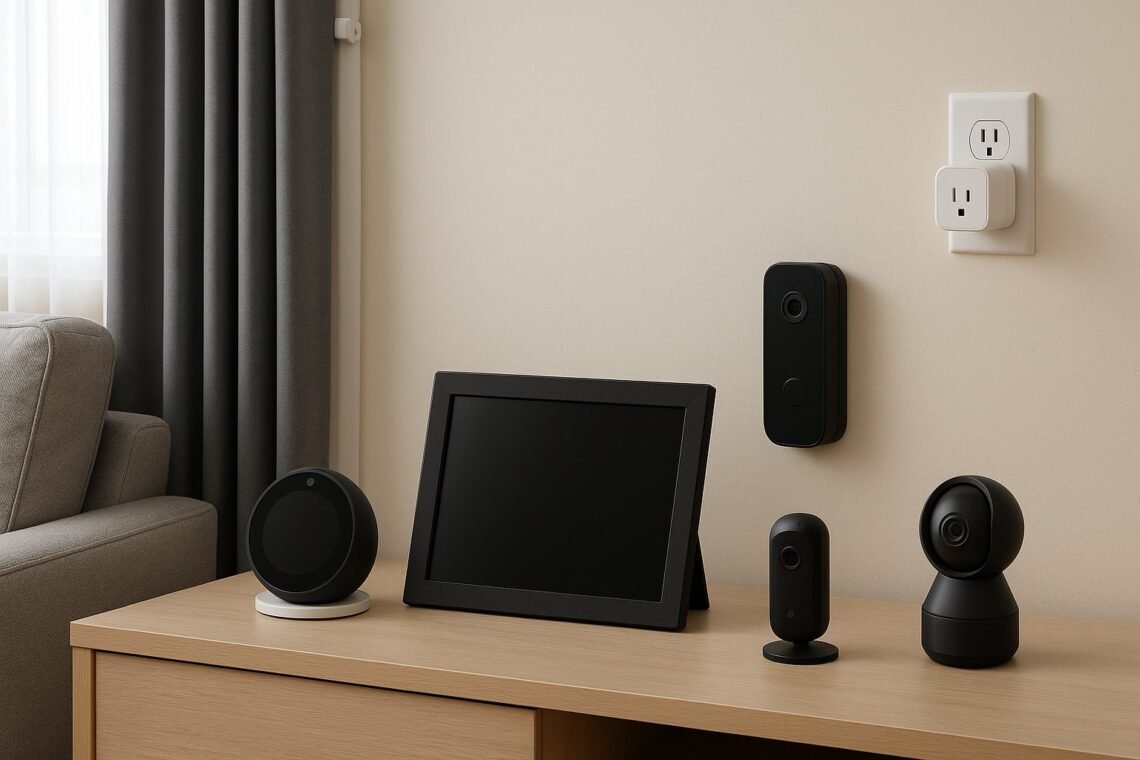
There’s a microphone in your kitchen that’s always listening. A camera on your doorstep recording every visitor. A thermostat learning when you’re home. AI home devices — smart speakers, video doorbells, connected thermostats, robot vacuums mapping your floorplan — offer genuine convenience. But the privacy concerns are equally genuine, and most owners have only a vague idea what their devices collect, where it goes, and who can access it. Time for a clear-eyed look.
What Your Devices Actually Collect
More than you probably think:
- Smart speakers: voice recordings of your commands — and, through false activations, fragments of private conversations. These are stored in the cloud, reviewed by human contractors for quality control (all major providers have admitted this), and used to build advertising profiles.
- Video doorbells and cameras: footage of everyone approaching your home — visitors, neighbours, passers-by, delivery drivers. Stored in the cloud, often indefinitely on paid plans, accessible to the provider and shareable with police.
- Smart thermostats and energy monitors: detailed occupancy patterns — when you’re home, when you sleep, when you’re away. Energy usage data can reveal astonishingly personal routines.
- Robot vacuums: precise maps of your home’s layout — room dimensions, furniture placement. Some manufacturers have faced questions about what happens to these maps.
- Smart TVs: viewing habits, and in some cases, automatic content recognition of everything on screen — including things you didn’t stream through the TV’s own apps.
Individually, each data type seems innocuous. Combined, they form an intimate portrait of your household’s life — and that combination is what’s valuable to advertisers, and vulnerable to breaches.
The Specific Concerns, Honestly Assessed
Always-listening microphones
Smart speakers technically listen locally for their wake word, only streaming to the cloud after hearing it. In practice, false activations happen regularly — studies found thousands of accidental triggers — sending private audio to servers. You can review and delete recordings, and mute the microphone, but the default is collection. Our Siri vs Alexa vs chatbots explainer covers how these assistants work.
Human review of recordings
All major providers use human contractors to review anonymised recordings to improve their AI. “Anonymised” has limits — there have been cases of reviewers hearing clearly personal content. You can opt out of human review in settings; most people never do.
Data sharing and sale
Device makers share data with advertisers, analytics firms and business partners under sprawling privacy policies few read. Video doorbell footage has been shared with police departments — sometimes without owners’ knowledge — raising questions about private surveillance networks. Your doorbell is your property; the network it feeds may serve others’ interests.
Security vulnerabilities
Connected devices are hackable. There have been documented cases of strangers speaking through smart cameras, accessing baby monitors, and exploiting poorly secured devices. Cheap no-name smart devices are the worst offenders — minimal security testing, rare updates, sometimes hardcoded passwords.
Function creep
Data collected for one purpose gets used for others: voice data improving ad targeting, doorbell networks aiding policing, energy data informing insurance pricing. Each step seems reasonable; the destination is comprehensive behavioural profiling.
Children’s privacy
Children talk to smart speakers freely, generating voice data from a young age. The long-term implications of childhood voiceprints and behavioural profiles are genuinely unknown. Our guide to AI risks for children covers this dimension.
Practical Steps to Protect Yourself
- Audit your devices: list everything connected. You may be surprised — the average UK home now has 10+ connected devices.
- Review privacy settings on each: turn off human review of recordings, limit ad personalisation, set auto-delete for voice recordings and camera footage (e.g., delete after 3 months).
- Use the mute button: smart speakers have physical mute switches — use them during sensitive conversations. It defeats the purpose slightly, but that’s the trade-off.
- Segment your network: put smart home devices on a separate guest Wi-Fi network from your computers and phones. If a cheap camera is compromised, your laptop isn’t automatically exposed.
- Buy from reputable brands: established manufacturers have security teams, regular updates and (somewhat) accountable privacy practices. Bargain-bin no-name devices often have none of these.
- Update firmware: boring, essential. Most smart home hacks exploit known vulnerabilities with available patches.
- Think about placement: a smart speaker in the kitchen is convenient; one in the bedroom hears a lot more. Cameras inside the home deserve more thought than doorbell cameras.
- Know your rights: under UK GDPR you can request your data, demand deletion, and object to certain processing. The ICO’s public guidance explains how.
The Balanced View
None of this means smart home devices are evil or must go. Millions of people — including elderly relatives living independently (see our guide to AI for independent living) — benefit enormously. The question isn’t whether to have them but whether to configure them consciously. Fifteen minutes in privacy settings transforms the trade-off from “surveillance by default” to “convenience with boundaries.”
The Takeaway
The privacy concerns with AI home devices — always-on microphones, cloud-stored footage, data sharing, security flaws and function creep — are real but manageable. Audit your devices, tighten the settings, mute when it matters, segment your network and buy reputable brands. Convenience doesn’t have to mean surrendering privacy; it just requires fifteen minutes of attention most people never give it. Give it.
Privacy Concerns With AI Home Devices: FAQs
Can smart speakers record without the wake word?
They’re designed not to — processing for the wake word happens on-device, and cloud recording starts after detection. But false activations happen (studies found thousands of accidental triggers), sending snippets to the cloud. Review your voice history periodically (all major providers let you listen and delete), and use the physical mute button during sensitive conversations.
Who can access my video doorbell footage?
You, anyone you share access with, and the provider (for service operation). Law enforcement can request it — sometimes with a warrant, sometimes through voluntary sharing programmes that have raised eyebrows. Footage of public spaces (the street outside) also implicates neighbours’ privacy. Think about what your camera captures beyond your own doorstep.
Are cheap smart devices safe?
Often not. Budget no-name devices frequently have poor security: weak default passwords, no encryption, rare updates, and sometimes hardcoded credentials. There are documented cases of strangers accessing cheap cameras. The premium for reputable brands buys security testing, regular patches and accountable privacy practices. For anything with a camera or microphone, buy reputable.
How do I check what data companies hold on me?
Under UK GDPR, you can submit a Subject Access Request to any company — they must tell you what data they hold and let you request deletion. Most big tech firms also have self-service privacy dashboards (Google, Amazon, Apple all do). An annual privacy audit — dashboards, settings, deletions — is fifteen minutes well spent.