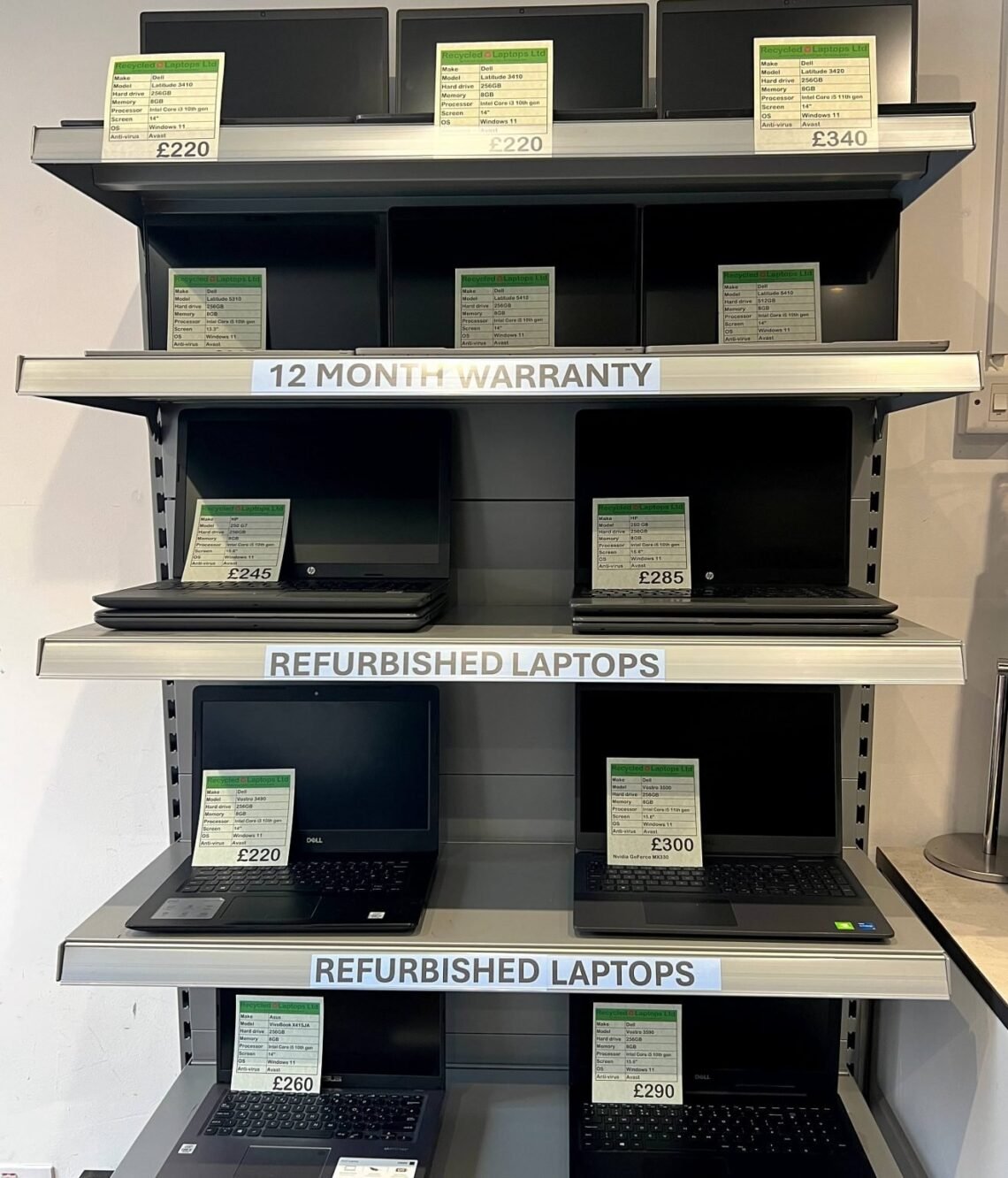
A three-year-old business laptop for £250 that originally cost £1,200. It sounds too good to be true — which is exactly why people hesitate. Is it worth buying a refurbished laptop in the UK, or are you just buying someone else’s problems? I’ve bought refurbished machines for myself, family and friends for years. Here’s the honest picture: when it’s worth it, when it isn’t, and how to avoid getting burned.
What “refurbished” actually means (it’s not just “used”)
“Refurbished” covers a spectrum, and knowing which end you’re buying from matters enormously:
- Manufacturer refurbished (Apple Refurbished, Dell Outlet): Returned or ex-display units inspected, repaired with genuine parts, cleaned, and sold with a proper warranty (usually 12 months). This is the gold standard — as close to new as second-hand gets.
- Retailer refurbished (Currys, Back Market, eBay Refurbished): Graded units (often “Excellent”, “Very Good”, “Good”) tested by the seller with a warranty — typically 12 months from reputable sellers. Quality varies by seller, so reputation matters.
- Ex-corporate / off-lease: Businesses refresh laptops every 3 years and sell the old fleet. ThinkPads, Dell Latitudes, HP EliteBooks — machines built like tanks, designed to be serviced, sold in bulk to refurbishers. This is the sweet spot for value.
- “Refurbished” from a random marketplace seller: Sometimes genuine, sometimes just a used laptop with a wiped drive and a hopeful description. This is where caution lives.
The key distinction: proper refurbishment means tested, graded, cleaned, with a warranty. A used laptop with none of those is just… used.
The case for refurbished: the maths is compelling
A £250 refurbished ThinkPad T-series gives you: a magnesium chassis built for business abuse, a superb keyboard, easily replaceable parts, and specs (i5, 8GB RAM, 256GB SSD) that handle everyday work effortlessly. The equivalent new laptop at £250 is plastic, flimsy, and slower. You’re getting £800–£1,200 of original engineering for the price of a budget machine.
It’s also the green choice — extending a laptop’s life by 3 years avoids the manufacturing footprint of a new one. And for specific uses (kids’ homework machine, a parent’s browsing laptop, a spare), refurbished is almost always the smart money. Pair it with our guide on speeding up an old laptop and a £250 refurb can feel brand new.
The honest downsides
Battery wear. This is the big one. A 3-year-old laptop’s battery has 3 years of charge cycles on it. Reputable refurbishers test batteries and grade accordingly, but expect 70–85% of original capacity, not 100%. Ask about battery health before buying; budget £30–£50 for a replacement battery if needed (easy on business laptops, harder on ultrabooks).
Shorter software support. A 2021 laptop has fewer years of Windows/macOS updates ahead than a 2026 one. Check it runs Windows 11 (Microsoft’s strict hardware requirements exclude some older machines — verify before buying) and has a few years of support left.
Cosmetic wear. Grades matter: “Excellent” should look near-new; “Good” means visible scratches and shiny keys. If you’re fussy, pay the extra £30 for the higher grade — it’s worth it.
No box-fresh feeling. Let’s be honest: unboxing a refurbished laptop isn’t the same. If that matters to you, that’s valid — just know you’re paying £300+ for the feeling.
Where to buy refurbished in the UK (safest first)
- Apple Refurbished Store — for MacBooks. Genuine parts, 1-year warranty, new battery and outer shell. Prices are higher than third-party but the quality is unmatched.
- Dell Outlet / Lenovo Outlet — manufacturer-refurbished business machines, often with the original warranty options.
- Back Market — the biggest dedicated refurbished marketplace in the UK, with 12-month warranties and a solid returns process. Check seller ratings.
- Currys / major retailers’ clearance — graded refurbished with high-street return rights.
- eBay Refurbished programme — look for the “eBay Refurbished” badge (12-month warranty, vetted sellers), not random listings.
- Local independent repair shops — often sell refurbished machines they’ve serviced themselves. You can see it working before you pay, which counts for a lot.
Avoid: sellers with no warranty, no returns, stock photos only, or prices wildly below everyone else. And be cautious with private sellers — no comeback if it dies in week three.
The checks to run before you commit
Whether buying online or in person, verify these:
- Warranty: 12 months minimum from a business seller. Get it in writing.
- Returns: 14–30 day return window. UK distance-selling regulations give you 14 days for online purchases anyway.
- Battery health report: Ask for the cycle count and capacity percentage.
- Windows 11 compatibility: Run Microsoft’s PC Health Check if possible.
- All ports and keys work: Test USB ports, headphone jack, webcam, WiFi, and every key. Check the screen for dead pixels (display a plain white and plain black image fullscreen).
- It’s not stolen: Ask for proof of purchase or business decommissioning. Check the serial number isn’t activation-locked (iCloud lock on Macs, Computrace on business laptops).
- Fresh OS install: It should arrive with a clean Windows/macOS install, not someone else’s account.
Buying a refurbished laptop vs new budget: the verdict
For most buyers, a £250–£350 refurbished business laptop beats a £250–£350 new consumer laptop on build quality, keyboard, repairability and performance. The new machine wins on battery life, warranty length and that new smell. My rule of thumb: if the budget is under £400, buy refurbished business-class — you’ll get a better machine. If the budget stretches past £500, new starts making sense. And if you’re buying for a student, refurbished ex-corporate machines are the single best value in computing — see our Chromebook vs laptop guide for the student-specific angle.
The bottom line
Whatever seller you choose, compare their grading against Back Market’s quality standards — a useful benchmark for what refurbished grades should mean.
Yes, buying a refurbished laptop in the UK is worth it — if you buy graded stock with a 12-month warranty from a reputable seller, check the battery and Windows 11 compatibility, and go for ex-corporate business models. Do that, and you’ll get a machine that embarrasses new laptops at twice the price. Buy blind from a random listing with no warranty, and you’re gambling. The difference isn’t the laptop — it’s the seller.