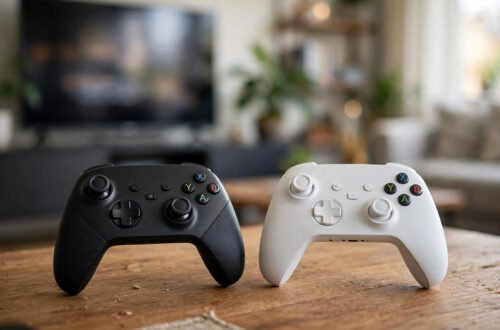
You own a PlayStation 5, your best mate has an Xbox, and your cousin plays on a Nintendo Switch. Ten years ago, playing together would have been impossible. Today, thanks to crossplay, it is often just a settings toggle away. But crossplay remains one of gaming’s most confusing features: which games support it, how to switch it on, and why it sometimes still refuses to work.
This guide explains crossplay from absolute zero — what it is, how it works behind the scenes, and exactly how to enable it on PlayStation, Xbox, Switch and PC. No background knowledge required, and no jargon left unexplained.
What crossplay actually means
Crossplay (short for cross-platform play) simply means players on different gaming hardware can play together in the same online match. A PS5 player, an Xbox Series X player, a Switch player and a PC player can all join one lobby in a crossplay-enabled game like Fortnite, Call of Duty: Warzone, Minecraft or Rocket League.
It is worth distinguishing from two related terms. Cross-progression means your save data, unlocks and purchases follow you between platforms — linked to your game account rather than your console. Cross-buy means buying the game once gives you copies on multiple platforms. A game can have crossplay without either of the others.
How it works behind the scenes
Traditionally, each console maker ran its own isolated online network — PlayStation Network, Xbox Live, Nintendo’s service — and games matched you only with players on the same network. Crossplay games bypass this by running their own central servers and account systems. When you log into Fortnite, you are really logging into Epic’s servers, which do not care what box you are playing on.
Your platform still handles the purchase and the friends list, which is why enabling crossplay usually involves linking a game-specific account (an Activision account, an EA account, a Microsoft account) to your console profile. If that link is missing or mismatched, crossplay silently fails — the single most common cause of “why can’t I join my friend?”.
Which games support crossplay?
Support has exploded since 2018, when Sony finally opened PlayStation to crossplay after years of resistance. Major crossplay titles now include:
- Fortnite — full crossplay across PlayStation, Xbox, Switch, PC and mobile
- Call of Duty: Warzone and Modern Warfare titles — crossplay on by default
- Minecraft — via the Bedrock edition (not the older Java edition on PC)
- Rocket League — cross-platform parties and matchmaking
- Apex Legends — full crossplay since 2022
- EA Sports FC — crossplay within the same console generation
Always check the game’s official support pages, because crossplay details change with updates. If you are new to gaming generally, our roundup of the best video games for casual players is a friendly place to start, and many of those titles support crossplay too.
How to enable crossplay on each platform
PlayStation 5 and PS4
On PlayStation, crossplay is controlled per game rather than system-wide. Open the game’s settings menu, find the Account, Network or Online section, and look for a “Crossplay” or “Cross-Platform Play” toggle. In Fortnite it sits under Settings → Account and Privacy. In Call of Duty it is under Settings → Account & Network. Switch it to Enabled, then add friends using their game-specific username (Activision ID, Epic display name), not their PSN name.
Xbox Series X|S and Xbox One
Xbox also handles crossplay per game, but adds a system-level control: Settings → Account → Privacy & Online Safety → Xbox Privacy → View Details → Communication & Multiplayer, where “You can join cross-network play” can be allowed or blocked. This is genuinely useful for parents. Then enable the in-game toggle as on PlayStation, and invite friends via their game account names.
Nintendo Switch
The Switch works the same way: the toggle lives inside each game’s settings. Note that Switch players in competitive shooters are often matched into wider pools, and performance differences (lower frame rates on Switch) can put you at a disadvantage against PC players — something to bear in mind before enabling it in ranked modes.
PC
On PC there is usually nothing to enable — crossplay is handled by the game’s launcher and your linked accounts. The main task is making sure your platform accounts (Steam, Epic, Microsoft) are linked to the game’s own account on the publisher’s website.
The fairness question: controller vs keyboard
The biggest controversy around crossplay is input-based advantage. Mouse-and-keyboard players generally aim faster and more precisely than controller players, which is why many shooters use input-based matchmaking: controller players are matched with controller players unless they party up with a PC friend. Aim assist on controllers narrows the gap but does not close it. If you are competitive, check whether your game offers an input-only matchmaking option before blaming your teammates.
Troubleshooting: when crossplay will not work
Run through this checklist in order:
- Game version mismatch — everyone must be on the same update. Console auto-updates sometimes lag behind PC.
- Unlinked accounts — log into the publisher’s site and confirm each platform is linked to one game account.
- Privacy settings — Xbox’s cross-network permission and PlayStation’s communication restrictions can silently block invites.
- NAT type — a “Strict” NAT type on your router blocks many peer connections. Switching to Open NAT (via your router settings) fixes a surprising number of issues.
- Generation gaps — some games only crossplay within the same generation (PS5 with Xbox Series, not with PS4).
- Parental controls — on a child’s account, crossplay is often disabled by default. Our guide to the best free mobile games with no adverts touches on family-friendly settings worth knowing about.
For authoritative setup help, each platform documents its own process: PlayStation Support, Xbox Support UK and Nintendo UK Support all maintain step-by-step crossplay and account-linking guides.
Conclusion
Crossplay is simple in concept — one game, every platform, one big player pool — and usually simple in practice: find the toggle in the game’s settings, link your accounts, and invite friends by their in-game names. When it breaks, the culprit is almost always an unlinked account, a privacy setting, or a version mismatch. Enable it once, and the days of “sorry, you’re on the wrong console” are over.
Frequently Asked Questions
Is crossplay free?
The feature itself is free wherever it is offered. You still need the game’s online requirements though — on Xbox that means Game Pass Core (or Ultimate) for most paid games, while PlayStation requires PS Plus. Free-to-play games like Fortnite do not need a subscription on either platform.
Can I turn crossplay off if I do not like it?
Yes. Every game with crossplay has an off toggle in the same settings menu. Turning it off restricts matchmaking to your own platform, which some players prefer for fairer competition or faster matchmaking.
Why do I keep getting matched with PC players as a console player?
Usually because someone in your party is on PC, which pulls the whole lobby into PC-inclusive matchmaking, or because the game’s player pool on console alone is too small at your skill level or region. Check the game’s matchmaking settings for input-based options.
Does crossplay work between PS4 and PS5?
Generally yes — same-family cross-generation play is widely supported, though a few titles treat PS4 and PS5 as separate pools. It is distinct from crossplay between different manufacturers, and both can be active at once.
Will crossplay ever become universal?
Probably not entirely — it remains each publisher’s decision, and competitive or technical reasons keep some games platform-locked. But the trend since 2018 has been strongly toward more crossplay, not less, and most major multiplayer releases now include it.